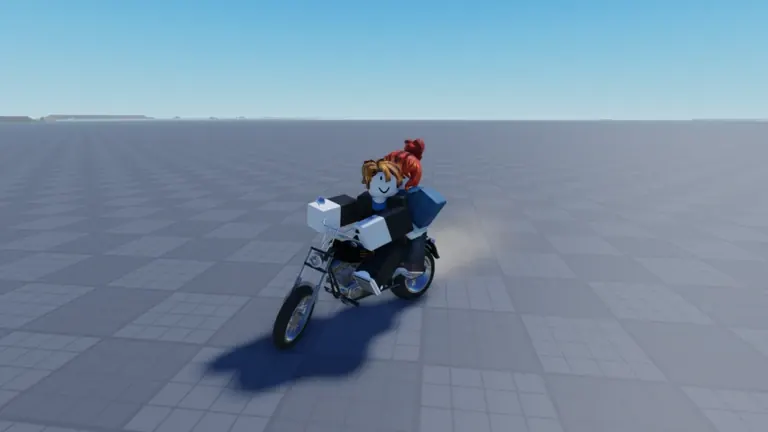
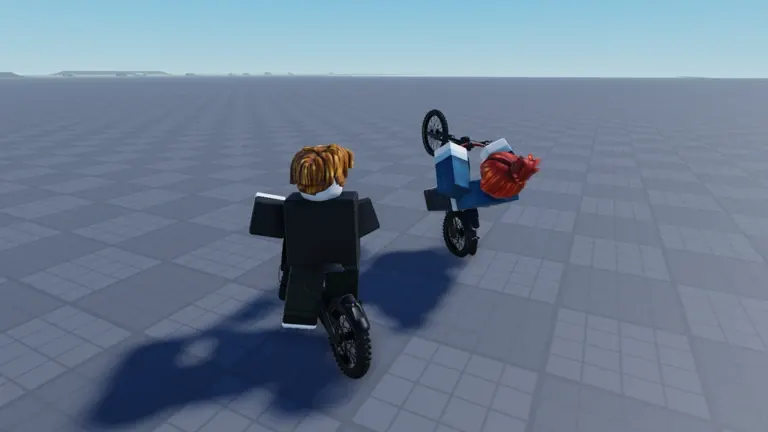
Official Roblox media depicts two avatars on one bike, but does not name the model or demonstrate passenger controls. The checked description does not mention two-seaters. Joining a friend through Roblox is documented separately from boarding a bike together.
Evidence: official promotional media retained from the 25 Oct research and Roblox joining help rechecked by the site on 27 Oct 2026 at 00:44 UTC; the mobile Seat label is a historical creator-footage observation, not a verified boarding input. Saved evidence reviewed 27 Oct; no new client session. Follow-up: test supported models, driver permission, boarding, exit and passenger earnings with two players.
What the screenshot proves
- Official uploaded media depicts two avatars on one bike; it is not a current two-player operation test.
- The bike in that frame is not labeled.
- The background is the same grey test pad as the other official shots, so this is not a map location.
What the mobile HUD suggests
A phone HUD from October 2026 creator footage includes a Seat button next to Stand, 1 Hand, and No Hands. The label Seat does not establish a passenger control; it could describe a rider pose or another action. I have not sat as the passenger. I do not know if the passenger can trick, or if only the driver earns the riding payout.
Step 1: join the same experience through a friend's profile
- The friend already playing must be in Bike Universe and permit other people to join them. Roblox documents this as a condition, not a setting this site can change.
- Search that friend's Roblox username or open their profile. If they are playing and their join settings permit it, Join Experience appears on the profile or in search results.
- Choose Join Experience. Roblox describes this as entering the experience with that player; pressing Play separately on the game page is not the same targeted join action.
If Join Experience is absent, check whether the friend is still playing, allows joins, and your account can access the experience. The help article lists prerequisites, not an exhaustive diagnosis of every missing join option. These Roblox platform instructions do not establish a Bike Universe passenger invitation, seat entitlement or boarding input.
PlayStation and cross-platform friends
Roblox's PlayStation help gives a specific joining order: the PlayStation player enters first, then the player on PC, Mac or mobile opens that player's profile and selects Join. Two connected PlayStation friends can instead select each other through the PlayStation Friends screen. The same help page confirms cross-platform play, subject to access and privacy settings.
Step 2: a passenger seat still needs separate verification
Getting into the same experience does not identify a two-seat model, summon a passenger prompt or put a friend on the bike. No sampled source establishes the required vehicle, boarding input, driver permission or passenger exit control. The historical Seat HUD label is not enough to fill those steps. This remains an incomplete passenger tutorial, not a claim that the Roblox join action boards a bike.
The official game API checked on 27 Oct 2026 at 00:42 UTC lists 20 players per ordinary server and disables private-server creation. Dirt, Electric and Pedal are the description's three classes; the two-rider image does not create a fourth shop category.
Frequently asked questions
How do I ride with a friend?
The supported first step is joining them through their Roblox profile using Join Experience, when their settings and your access allow it. An official image depicts two riders, but the vehicle selection and passenger boarding steps are still unverified.
Does the passenger earn money?
The checked game description, official media and platform help do not establish a passenger payout.